

Are you really okay with wasting chunks of your day typing the same tired emails, Slack replies, and follow-ups like it’s still 2009?
Because that whole approach is cooked.
If your workflow depends on written communication and you are still pecking everything out by hand, you are basically trying to text on a typewriter. Noble? Maybe. Efficient? Absolutely not.
I test a lot of tools. A lot. Most of them are somewhere between “pretty useful” and “sure, I can see the angle.” This one hit different.
Blip AI is one of the easiest, highest-return productivity tools I’ve come across for anyone doing text-based work. Emails, Slack, marketing, client communication, follow-ups, quick messages, rough drafts, idea capture, all of it. If there is a text box and a cursor, this thing is built to save you time inside it.
And the part that makes it dangerous in the best way is how little friction there is. You press a hotkey, talk naturally, release, and your text appears. That’s the core experience. No circus. No bloated learning curve. No ritual sacrifice to the setup gods.
What Blip AI actually does
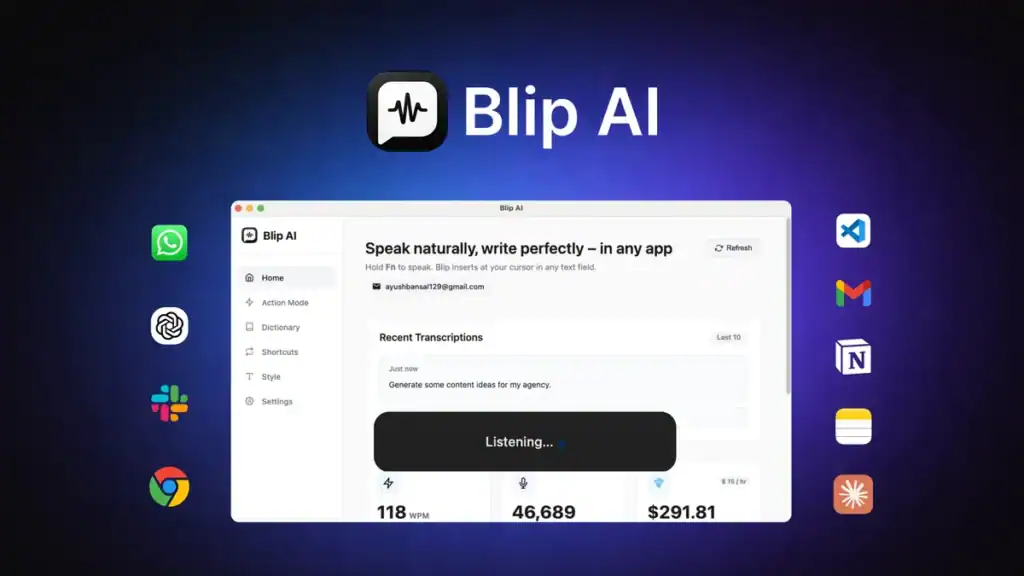
At the simplest level, Blip AI is a speech-to-text tool with AI polish and action-based writing built in.
That means it can:
Turn spoken words into text anywhere you type
Automatically clean up grammar and phrasing
Adjust tone based on where you’re writing
Use shortcuts for repeated phrases and personal details
Understand field-specific terms through a custom dictionary
Generate complete responses, emails, and messages from a spoken prompt
That last part is where this stops being “nice dictation software” and starts becoming “why the hell am I still doing this manually?” software.
The setup is refreshingly stupid-simple
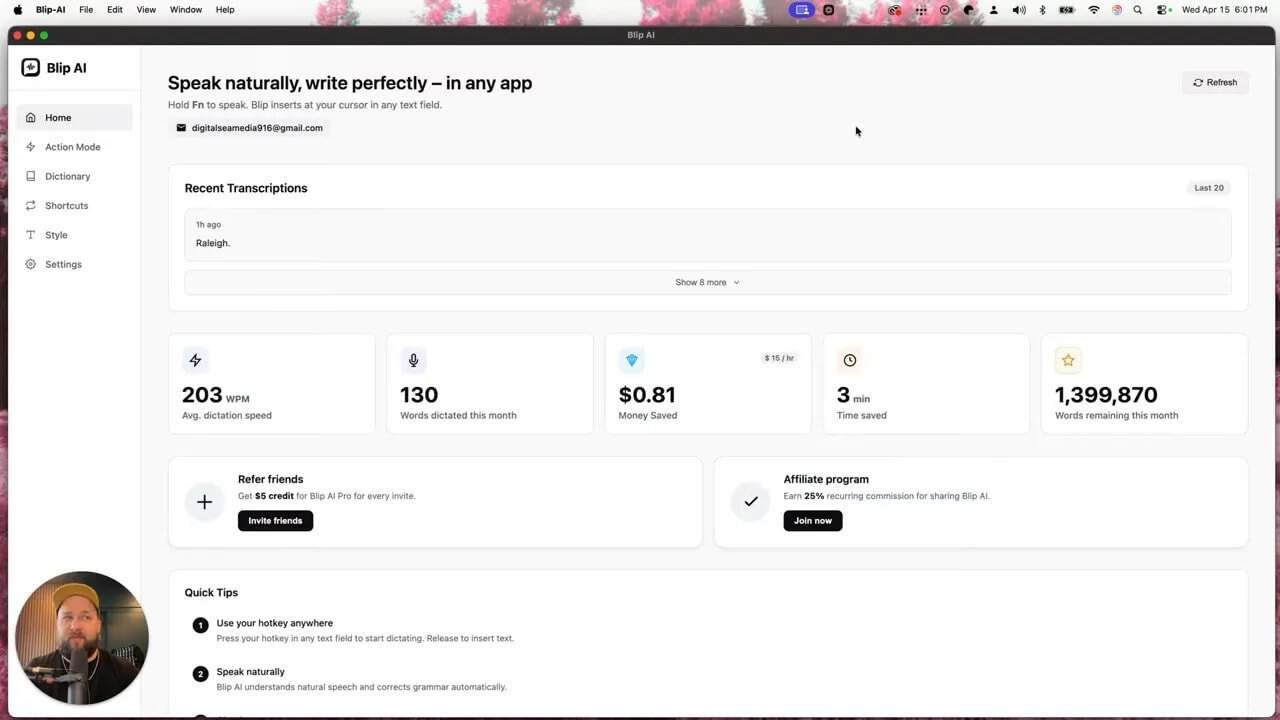
The interface is clean and self-explanatory. You jump in, and there’s not much mystery to it.
The quick-start concept is almost laughably simple:
Press your hotkey in any text field
Speak naturally
Release the hotkey
Text gets inserted
That’s the tool.
Seriously. That is the whole magic trick. Which is why it works so well. It doesn’t ask you to rebuild your entire process. It just drops into the one you already have and removes the drag.
There’s a dashboard showing things like words dictated, time saved, and dictation speed. Some of that is standard productivity-software wallpaper. Useful if you care about usage limits or want a little reminder that your old workflow was hemorrhaging time. But the real value is not the dashboard. The real value is what happens when you start using it in live communication.
Smart dictation that cleans up your writing as you speak
One of the best things here is that Blip understands natural speech and automatically fixes grammar.
That matters because normal dictation often gives you a sloppy mess. You get your thoughts out quickly, sure, but then you still have to clean everything up. That defeats half the point.
Blip closes that gap by taking rough spoken language and turning it into something more usable right away.
And if you do not want that cleanup, there’s a setting for it.
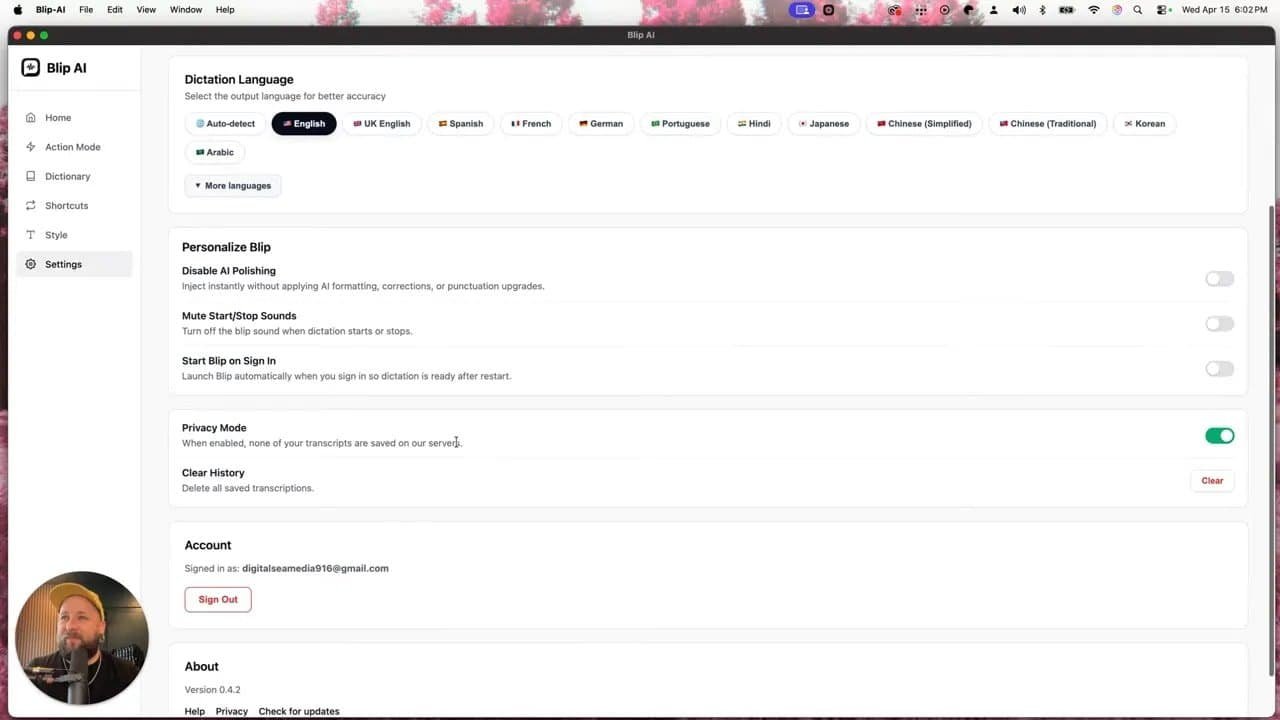
Useful settings worth knowing about
Language selection for dictation
Privacy mode, which keeps transcripts from being saved on the server
Disable AI polishing if you want rawer text output
Custom hotkeys so the trigger fits your workflow
Microphone auto-detect and other standard device controls
The privacy mode is especially nice if you deal with sensitive information. Not every tool makes that easy or obvious.
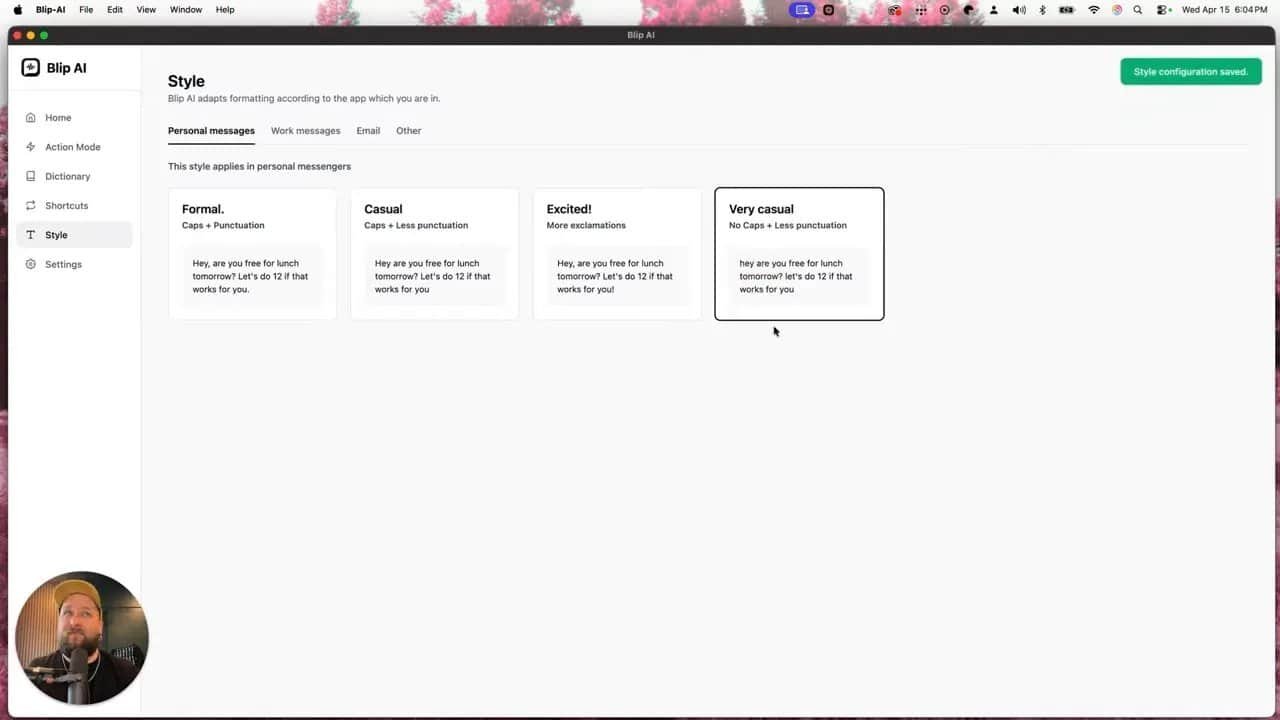
Blip’s style controls are better than most dictation tools
This is one of those features that sounds small until you realize how much chaos it prevents.
Blip lets you set different writing styles depending on context. For example:
Personal messages can be casual
Work messages can be formal
Emails can be a little more relaxed or polished
Other apps can use a default style
That means you are not stuck with one robotic voice for everything.
Too many tools treat writing tone like a single on-off switch. That’s nonsense. The way you text a friend should not sound like the way you email a client, and neither should sound like a project update in Slack. Using one voice for every context is the communications equivalent of wearing a tuxedo to the gym.
Blip gets more granular, and that makes it practical.
Shortcuts and dictionary features save even more time
Once you move beyond basic dictation, two features become especially useful: personal shortcuts and dictionary customization.
Personal shortcuts
You can create spoken triggers that expand into preset text. So if you say:
“my email”
“my work email”
“my phone number”
Blip can automatically insert the exact information tied to that phrase.
This is perfect for repetitive communication and little admin tasks that somehow eat your day alive one breadcrumb at a time.
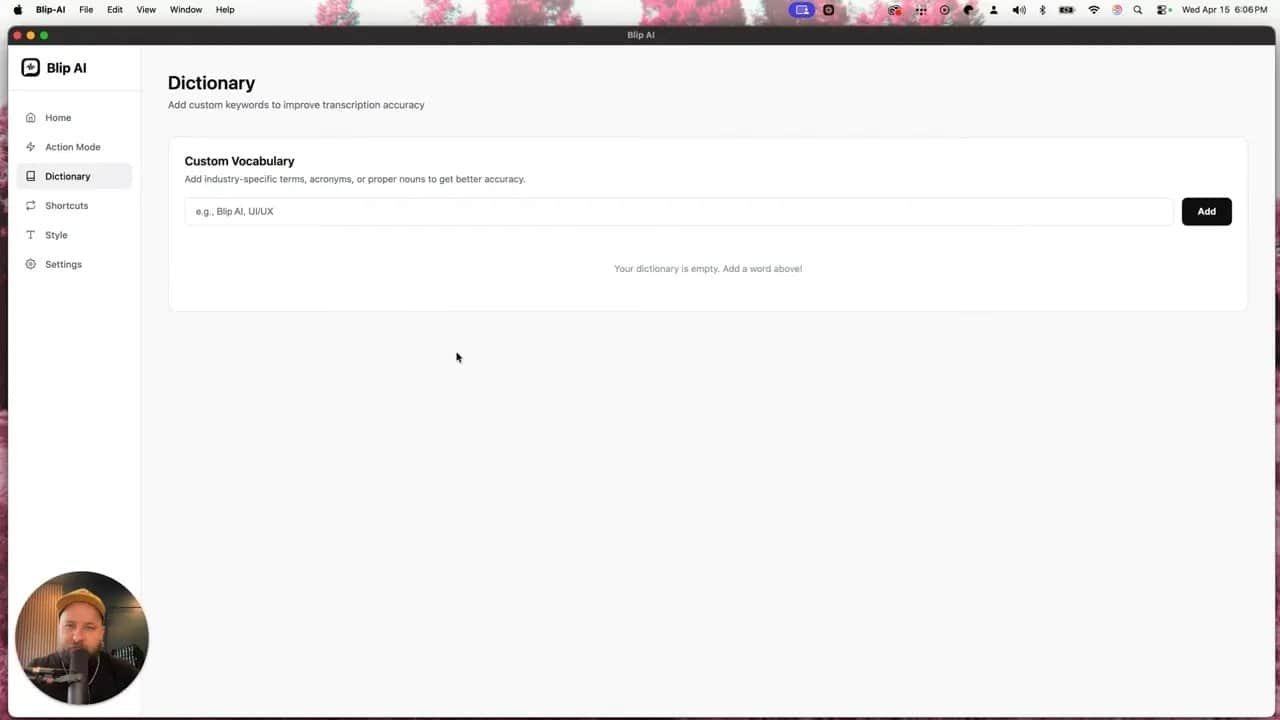
Custom dictionary
If you work in tech, software, marketing, operations, or any field that’s loaded with acronyms and specialized terms, a dictionary feature is huge.
You can teach Blip the words and shorthand you use all the time so it keeps up with your natural speaking style instead of mangling terminology like a confused intern with a caffeine problem.
Action mode is where this tool gets ridiculous
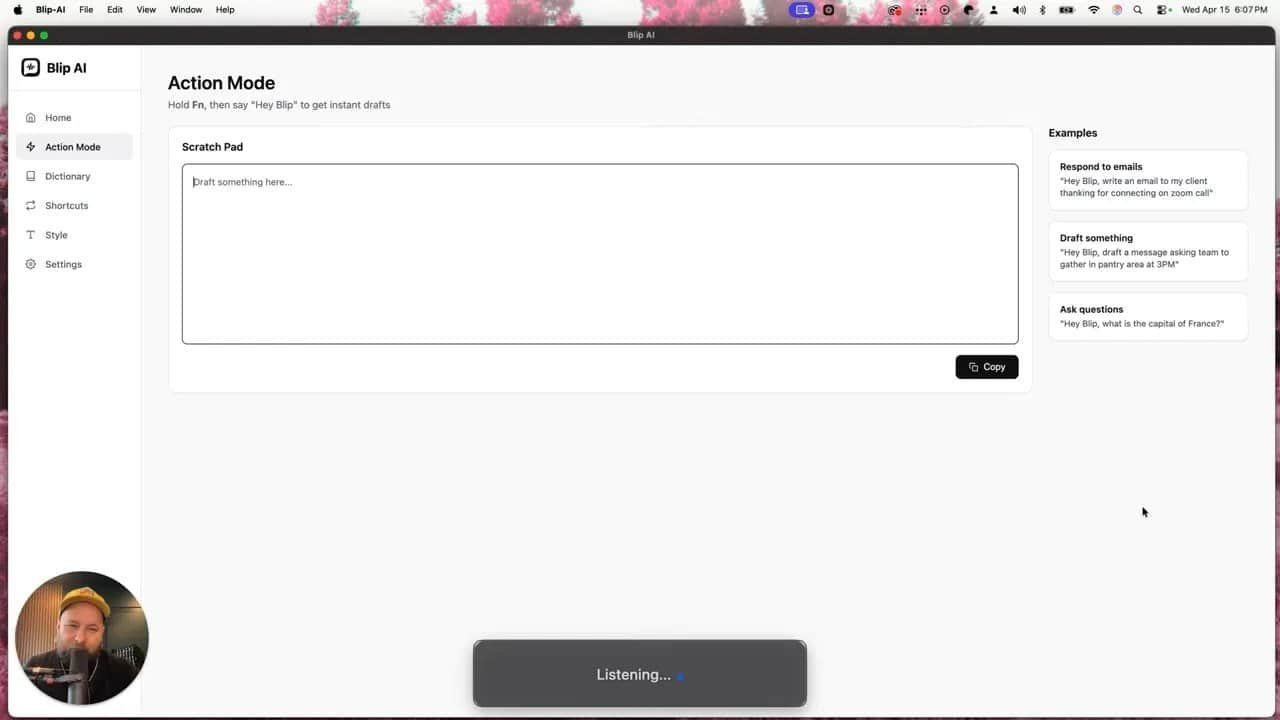
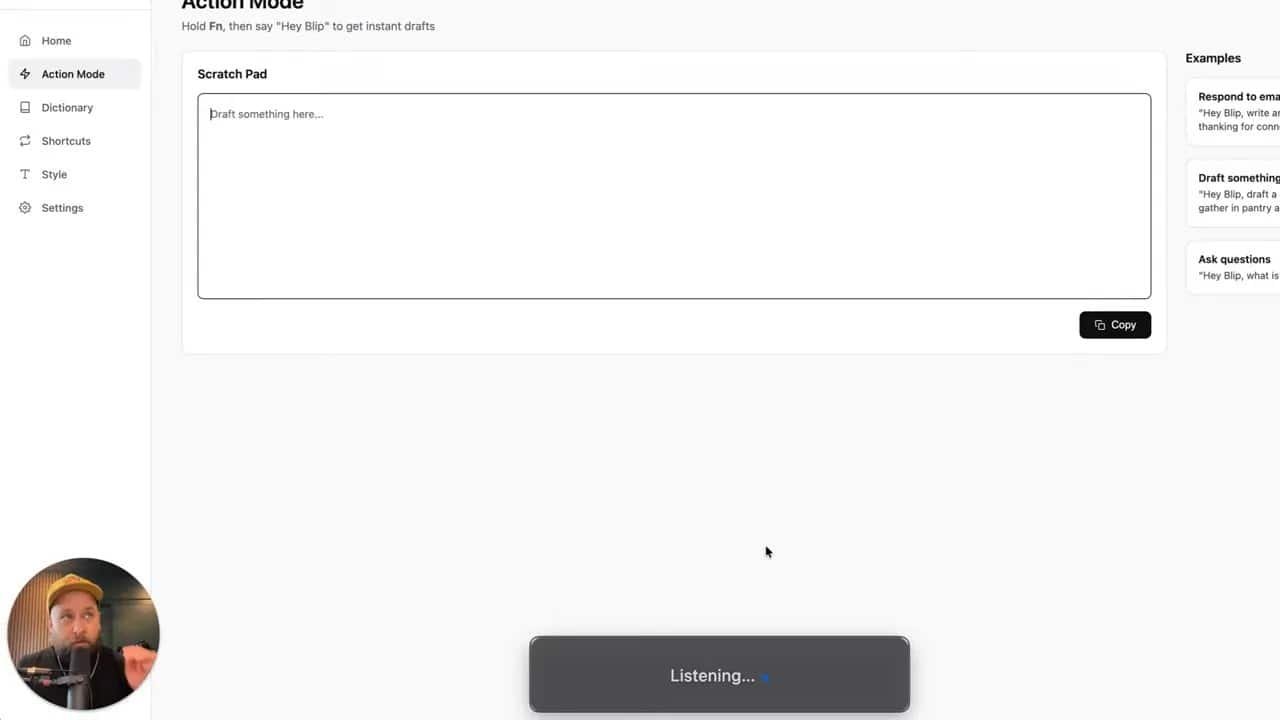
Here’s the feature that really separates Blip AI from basic speech-to-text software: Action mode.
Instead of just transcribing what you say, it can take your spoken intent and turn it into a complete written output.
Not a transcript. A result.
That is a very different thing.
You are no longer saying, “Type exactly this.” You are saying, “Here’s what I need done.” And Blip handles the writing.
That shift matters because humans often know what they want to communicate before they know the exact words. Action mode bridges that gap fast.
Example: turning a rough thought into a polished follow-up email
A spoken request along the lines of:
“Write a follow-up email thanking Karen for her time on our Zoom call today, say I appreciate her being gracious with her time, mention I’d like to follow up in the future, and tell her to reach out if she has questions.”
Blip can turn that into a complete email with:
A subject line
A clean greeting
A professional thank-you
A future-oriented closing
A clear invitation to reply
That is not just transcription. That is real writing assistance.
And it happens fast. Scary fast.
Example: writing a team Slack message from a half-formed idea
Another strong use case is team communication.
Say morale is low, and you want to send a Slack message asking for ideas on how to celebrate recent wins. You don’t have a polished draft in your head. You just know the goal.
You speak the idea naturally, and Blip can turn it into something like:
A positive opener
Recognition of the team’s hard work
A prompt for ideas like lunch, an outing, or something else
A request for multiple suggestions in the comments
That is where the tool becomes genuinely useful in everyday work. Not “AI demo useful.” Actually useful.
Because in real life, you often do not need a masterpiece. You need a good message, right now, without losing momentum.
Why this matters more than the usual AI hype
A lot of AI talk is fluff wearing a fake Rolex.
“This changed my life.”
“Revolutionary workflow.”
“Ten X your output while sleeping upside down in a founder cave.”
Most of that is nonsense.
What makes Blip different is that the benefit is immediate and painfully obvious. You speak an idea. It becomes usable writing. You save time without changing your workflow. Done.
It feels similar to talking through a rough thought with an LLM when you are not even sure what you are trying to say yet. Except here, it’s happening directly where you already work, and it is fast enough to keep pace with your thinking.
That speed matters. If the tool is slow, clunky, or demands context switching, people stop using it. Blip stays out of the way.
A weird but practical example: sending instructions when you’re slammed
One of the most revealing examples is not business-y at all.
Imagine you’re heading into a meeting and need to quickly send a step-by-step explanation for how to defrost, season, and cook chicken in a way a 10-year-old could understand.
That is a chaotic, highly specific request. Also, yes, definitely the kind of message that would be annoying to type out when you’re in a rush.
Blip can generate a clear process from that spoken prompt.
Now, common sense disclaimer here: if you’re sending cooking or safety instructions, fact-check them before handing over the stove keys. Let’s not pretend software should become your legal defense strategy.
But as a demonstration of practical speed, it’s excellent. You can offload the drafting, then quickly review and send.
You can use it anywhere there’s a text box
This is the part people underestimate.
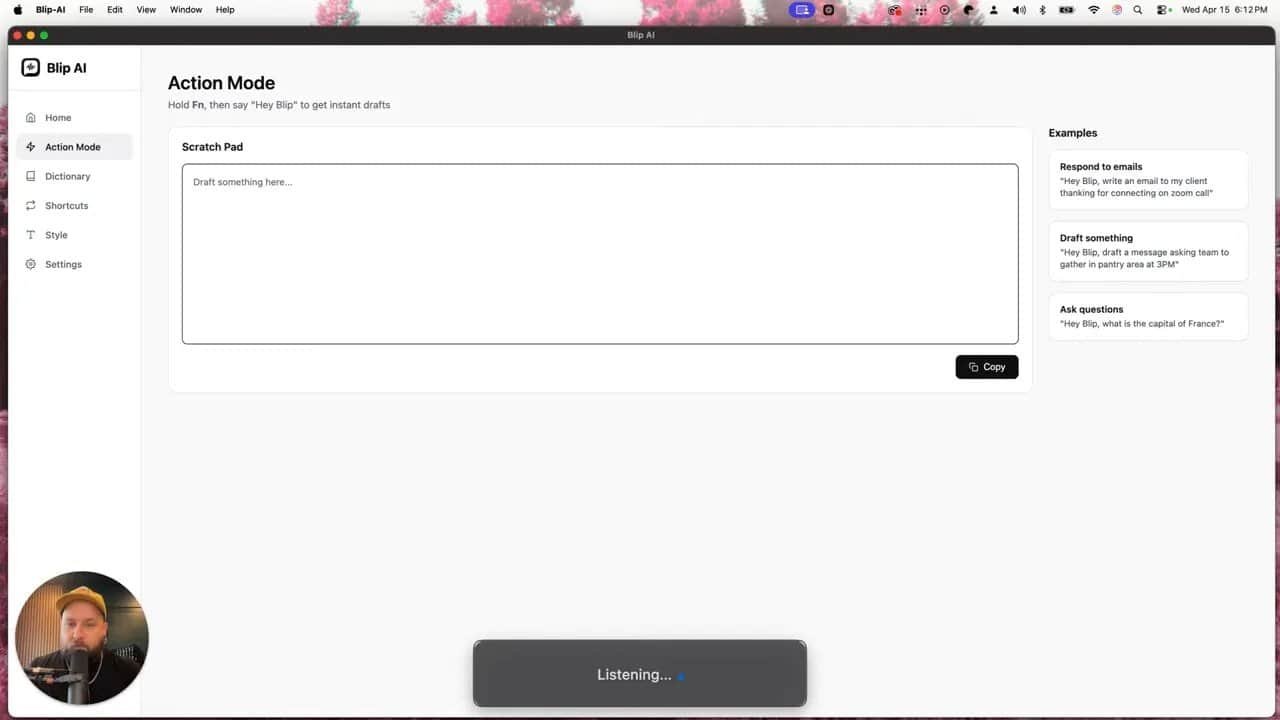
All of these examples can happen inside the Blip interface, but that is not really the point. The point is that you can use it anywhere there is a cursor and a text field.
That means:
Email platforms
Slack
Text messages
Web forms
Internal tools
CRMs
Basically any place you write
This is why it fits into real workflows instead of becoming another toy you forget to open after three days.
You don’t go to the tool. The tool comes to where the work is happening.
Research-style prompts are possible too
Blip is not limited to short replies or cleanup jobs.
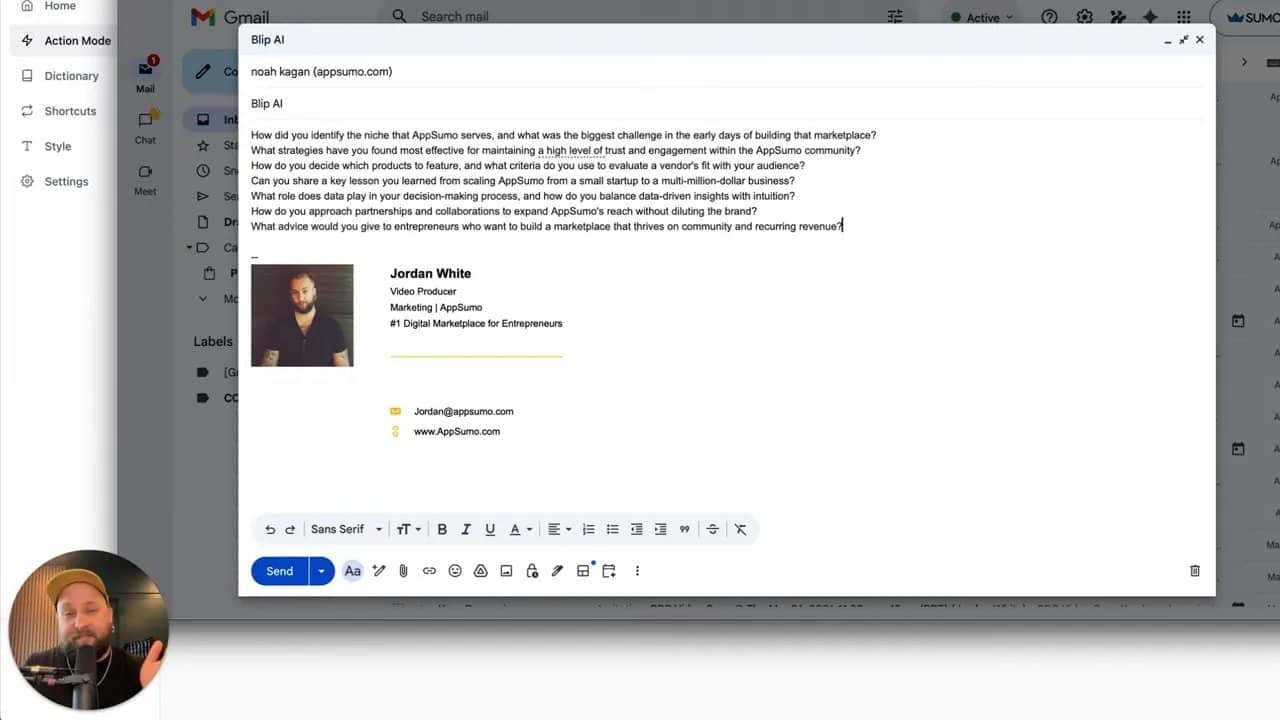
It can also handle broader prompts that involve light research and question generation.
For example, you can ask it to:
Do a quick read on a business leader
Generate niche, specific interview questions based on their company model
Scan for reasons a company is successful
Turn those findings into smart follow-up questions
And because the input is voice-first, the process is much faster than manually formulating every line.
You are not fighting the blank page. You are speaking your intent and getting structure back.
That can be useful for:
Podcast prep
Sales outreach ideas
Founder interviews
Content brainstorming
Market research prompts
The broader point is not that it replaces deeper thinking. It’s that it gets you to a much stronger starting point in seconds instead of dragging you through a swamp of manual drafting.
Who gets the most value from Blip AI?
If your day includes any serious amount of written communication, this thing makes sense.
Especially if you work in:
Marketing
Email-heavy roles
Slack-based team communication
Client services
Operations
Sales follow-up
Any comms-focused knowledge work
If you spend hours a week writing messages that are useful but not deeply creative, then yes, your current workflow is probably leaking time like a shopping cart with one wheel missing.
This is one of those tools where the compounding effect matters.
Saving one minute here and three minutes there sounds small until it happens every day, across every reply, every follow-up, every internal update, every “circle back next week” email, every “just checking in” note, every rough idea you would have otherwise typed with your thumbs like a caffeinated raccoon.
Pricing is aggressively good
Usually there is a catch with software in this category.
You get decent functionality, then the pricing starts punching you in the wallet every month. Or the affordable version is missing the features that matter. Or the word limits are so stingy the product becomes decorative.
That does not seem to be the case here.
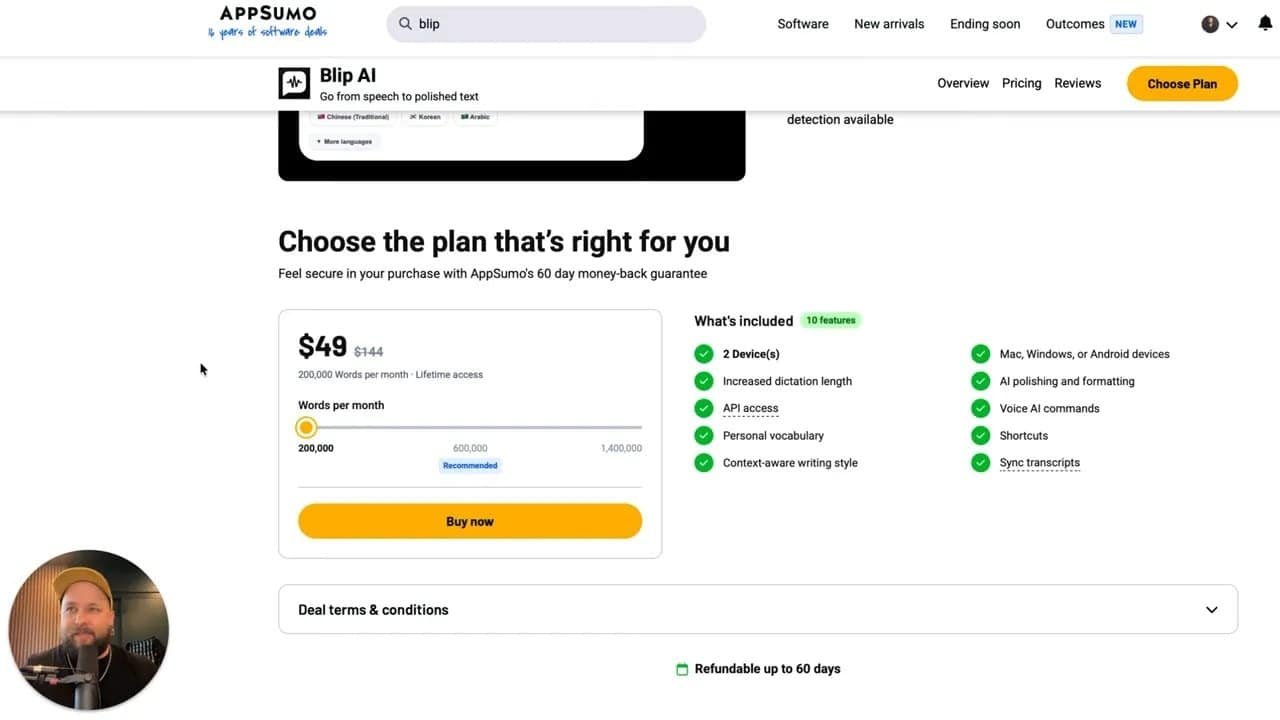
The pricing discussed was:
$50 one time for 200,000 words per month
$120 one time for 600,000 words per month
$250 one time for 1,400,000 words per month
There is also support for up to five devices, including Mac, Windows, and Android.
An iOS version was still on the wish list, and honestly, if that lands, the thing gets even more dangerous.
Which tier makes sense?
The entry tier is already strong for a lot of people.
But if you are doing serious communication-heavy work, the argument here is blunt: don’t cheap out if you know you’ll use it.
If your job runs on writing, the higher tier is not some luxury flex. It is fuel.
One-time pricing for that level of usage is kind of absurd in a good way.
The real reason this tool stands out
There are plenty of AI tools that can technically produce text.
That’s not enough anymore.
The reason Blip stands out is that it combines:
Speed
Ease of use
Context-aware style control
Anywhere-you-type flexibility
Action-oriented writing generation
One-time pricing that does not feel insulting
That combination is rare.
It does not feel like a tool that wants applause for being “innovative.” It feels like a tool that quietly helps you move faster while your old process dies the death it deserves.
The bottom line
If you do anything text-based and care about time, Blip AI is not one of those maybe-later productivity purchases. It is one of the easiest software adds to justify.
You press a hotkey, speak naturally, and get polished writing back.
You can tailor tone by context.
You can create shortcuts and dictionaries.
You can generate real emails, Slack messages, and responses from rough spoken intent.
You can use it wherever there is a text box.
That is real utility.
Not hype. Not smoke. Not “future of work” cosplay.
Just an extremely practical way to stop wasting time on communication tasks that should not take as long as they do.
If your current method still feels fine, cool. So did flip phones once.
But if you want to write faster, respond quicker, and cut friction out of your day, this tool makes a very strong case for itself.
FAQ
What is Blip AI best used for?
Blip AI is best for fast, text-based communication. That includes emails, Slack messages, follow-ups, client communication, rough drafts, and any situation where you want to speak naturally and turn that into polished writing.
Is Blip AI just a speech-to-text tool?
No. It does speech-to-text, but it also cleans up grammar, adjusts writing style, supports shortcuts and custom dictionaries, and uses Action mode to generate complete written outputs from spoken prompts.
Can Blip AI be used outside its own interface?
Yes. One of its biggest strengths is that it works anywhere there is a text box and a cursor, so it can fit directly into existing workflows instead of forcing you into a separate environment.
Does Blip AI automatically fix grammar?
Yes. It understands natural speech and can automatically polish grammar and phrasing. If you prefer raw output, there is also an option to disable AI polishing.
Can I set different tones for different types of communication?
Yes. Blip lets you set style preferences for personal messages, work messages, emails, and other app contexts, which makes the writing feel more appropriate to where it’s being used.
What are Blip AI shortcuts and dictionary features for?
Shortcuts let you turn spoken cues into repeated text, like email addresses or phone numbers. The dictionary helps Blip understand field-specific words, acronyms, and terminology so your dictation stays accurate.
What platforms does Blip AI support?
The supported platforms mentioned were Mac, Windows, and Android, with use on up to five devices. An iOS version was not listed as available yet.
How much does Blip AI cost?
The pricing discussed was a one-time $50 tier for 200,000 words per month, a $120 tier for 600,000 words per month, and a $250 tier for 1,400,000 words per month.