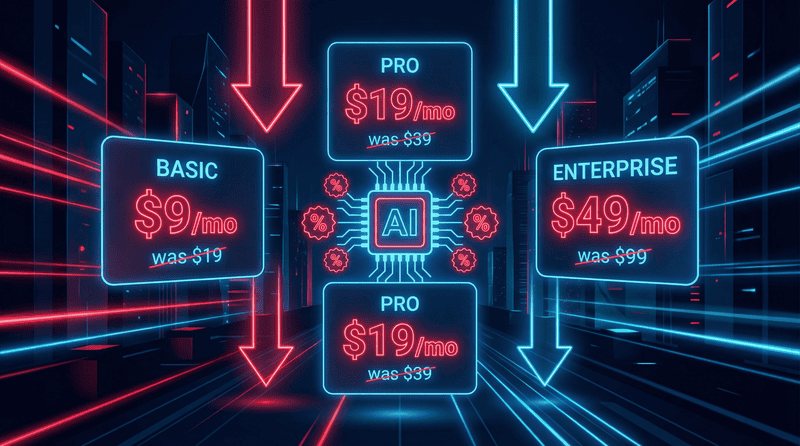

Let’s be blunt. You’re bleeding money on software subscriptions. That monthly drip, drip, drip of SaaS fees is draining your startup budget faster than you can say “negative cash flow.” Wake up. The average small business spends around $4,500 a year on subscriptions. That’s bullshit. You need tools that work, not another invoice. This is your guide to the best free apps for small business owners, covering everything from accounting and cloud storage to project management. No fluff, just the reality of what actually saves you money in 2026.
Here’s a quick look at the free tools that will protect your margins:
- Side Hustle Reality: Your filter for finding legit software deals.
- Wave: For free invoicing and accounting.
- Trello: To manage projects visually without a price tag.
- Slack: For team chat that cuts down on email.
- Google Drive: Your starting point for free cloud storage and collaboration.
- Canva: To create professional designs without hiring a designer.
Side Hustle Reality
Individual apps are great for specific tasks, but you need a central command. A place to figure out which tools are legit and which are just marketing noise. That’s Side Hustle Reality. We’re the filter. We cut through the hype to find tools with genuine ROI, especially lifetime deals (LTDs) that kill monthly fees for good. Stop guessing and start building with tools that actually work.
Key Features for Small Business Growth
- SaaS Marketplace Analysis: We break down the fine print. Is that “free” tool really free, or will it cost you more in the long run? We show you the math.
- AI Integration Guidance: You don’t need a consultant to use AI. We provide the exact steps to automate daily tasks. Check out our guide on the best AI for small business owners.
- Business Launch Checklists: We give you the roadmap. From idea to a legal business entity, our legal checklist gets you there without the headaches.
Why It Is the Best Choice for Founders
Generic review sites are paid to promote junk. We’re different. We prioritize your data privacy and call out tools that track you. Imagine you’re choosing between three cloud storage providers. Instead of marketing fluff, we give you the technical breakdown on security, speed, and long-term value. That’s the reality check you need. Find your next lifetime software deal and stop the subscription bleed.
Wave
Stop using spreadsheets for your finances. It’s amateur hour. Wave is a real accounting tool that’s actually free. I used it to send my first professional invoices and track every single expense for tax season. It’s a no-brainer for freelancers and early-stage businesses.
Core Features for Finance Management
- Invoicing: Create and send unlimited, professional invoices. No strings attached.
- Expense Tracking: Link your bank account. See where your money is actually going in real-time.
- Receipt Scanning: Use the mobile app to snap a picture of a receipt. Done. No more shoeboxes full of paper.
Here’s the reality. The core accounting and invoicing are 100% free. You only pay for payment processing if a client pays by credit card, or for payroll services. Compared to the hours you’ll waste manually tracking everything in Excel, it’s a massive win.
Trello
If your projects are a mess of emails and sticky notes, you need to get organized. Trello is a visual project management tool that’s dead simple to use. I’ve used it to manage everything from content calendars to software development sprints. It’s about clarity. Seeing your entire workflow on one board is a game-changer.
Visual Workflow Tools
- Kanban Boards: Drag and drop tasks between columns like “To Do,” “In Progress,” and “Done.” It’s that easy.
- Power-Ups: The free plan gives you integrations with tools you already use, like Slack and Google Drive.
- Automation (Butler): Set up simple commands. For example, when you complete a checklist on a card, Butler can automatically move it to the “Done” column.
The free version has limits—only 10 boards and 10MB file attachments. If you’re a videographer, that attachment limit is a deal-breaker. But for most service-based businesses, it’s more than enough to get started.
Slack
Internal email is dead. If you’re still emailing your team members who sit ten feet away, stop. Slack is the standard for team communication for a reason. It replaces cluttered email threads with organized channels, making it easier to find what you need and cut down on the noise.
Communication and Collaboration
- Channels: Create separate channels for projects, departments, or random ideas. Keep conversations focused.
- Huddles: Need a quick answer? Start an audio huddle. It’s faster than scheduling a meeting.
- File Sharing: Drag and drop files directly into a conversation. No more “I didn’t get the attachment” excuses.
The catch with the free plan is the 90-day message history limit. Your conversations disappear after three months. For businesses that need long-term records for legal or compliance reasons, this is a major drawback. But for quick, day-to-day communication, it’s perfect.
Google Drive
You need a central place for your files. Period. Google Drive is the obvious starting point. It’s more than just storage; it’s a collaborative hub. I’ve co-written business plans in Google Docs, with partners making edits in real-time from across the country. It just works.
Storage and Productivity
- Shared Drives: Create folders that your entire team can access, so everyone is working from the same files.
- Docs and Sheets: The version history is a lifesaver. You can roll back to a previous version if someone messes something up.
- Access Controls: Control who can view, comment on, or edit your files. This is crucial for keeping sensitive data safe. For more on this, see our guide on how to find reliable cloud storage.
The free 15GB of storage is shared across your entire Google account, including Gmail and Photos. For a tech-heavy business, you’ll burn through that fast. It’s a great start, but be prepared to either upgrade or find a better cloud backup solution down the road.
Canva
You’re not a graphic designer. That’s okay. Canva is the tool for non-designers who need to create professional-looking graphics without the Adobe price tag. I’ve used it for everything from social media posts to flyers for a local event. It saves you from hiring an expensive designer for basic tasks.
Simple Design Tools
- Templates: Start with a pre-made layout for an Instagram post, a business card, or a presentation. The heavy lifting is already done.
- Drag-and-Drop Editor: Add your own text, logos, and images. It’s incredibly intuitive.
- Brand Kits: The free version lets you set up a basic color palette. It’s limited, but it helps maintain consistency.
Here’s the frustration: many of the best icons, photos, and templates are locked behind the Pro subscription. You’ll find yourself designing something great, only to realize a key element has a watermark. It’s a classic freemium model, but the free version is still powerful enough for most basic design needs.
How to Choose the Best Free Apps for Your Business
Let’s be real. “Free” isn’t always free. Sometimes you pay with your time, your data, or by hitting a wall that forces you to upgrade. Don’t just look at the $0 price tag. Think long-term. According to Verizon’s DBIR, 43% of all data breaches target small businesses. Your data is a liability.
- Privacy and Security: Does the app have two-factor authentication? Is their data policy clear? If not, walk away.
- Scalability: Can you export your data? If you outgrow the free plan, you need a way to leave without losing everything.
- Integration: Does it connect with your other tools? Manual data entry is a time-suck you can’t afford.
- Actual ROI: This is the big one. Is a “free” tool with heavy limitations actually more expensive than a lifetime deal on a better tool? Use Side Hustle Reality to do the math.
Frequently Asked Questions About Small Business Apps
Are free apps safe for sensitive business data?
Sometimes. But you have to do your homework. Many free apps make money by selling your data. Look for tools that offer end-to-end encryption and have a transparent business model. Don’t assume “free” means safe.
When should I upgrade to a paid version?
Upgrade when the limitations of the free plan are costing you time or money. Specific triggers include hitting a user limit, needing more advanced reporting features, or requiring priority customer support because something broke.
Can I run an entire business on free software?
You can probably get through your first year. But as you scale, you’ll realize that your time is more valuable than the money you save on a subscription. The goal is to invest in tools that automate work and save you hours, not just dollars.
How do I avoid hidden costs in free apps?
Read the fine print. Look for transaction fees (like with Wave), add-on costs for essential features, and storage overage fees. A “free” app can get expensive fast if you’re not paying attention. Use a resource that filters for genuine ROI to avoid these traps.
Stop Paying Monthly Fees for Your Business Tools
Free apps are a great starting point, but they aren’t the end game. The real goal is to build a lean, profitable business with tools that scale with you. Side Hustle Reality is your resource for that. We provide the technical reviews and community insight you need to stop wasting money on monthly subscriptions and find software that delivers real value. Stop the bleed.