

You know that feeling when you buy a ‘forever’ thing and later discover a tiny clause that ruins the deal? That happened to me with a lifetime router warranty once — costly lesson. The pCloud vs Icedrive debate is the same kind of trap/treasure hunt. On paper both look identical: virtual drives, lifetime plans, and privacy promises. But the devil’s in one crucial difference: how encryption and lifetime stacks are handled. I’ll walk you through what matters, what annoys, and which one will actually save you money (and headaches) long term.
Quick Verdict — Who Wins Round 1?
pCloud vs Icedrive: Privacy vs Flexibility (Fast Take)
If you’re doing this cloud storage comparison mainly for security, here’s the quick call: Icedrive wins privacy, while pCloud wins features and long-term flexibility.
Why Icedrive Takes the Privacy Point
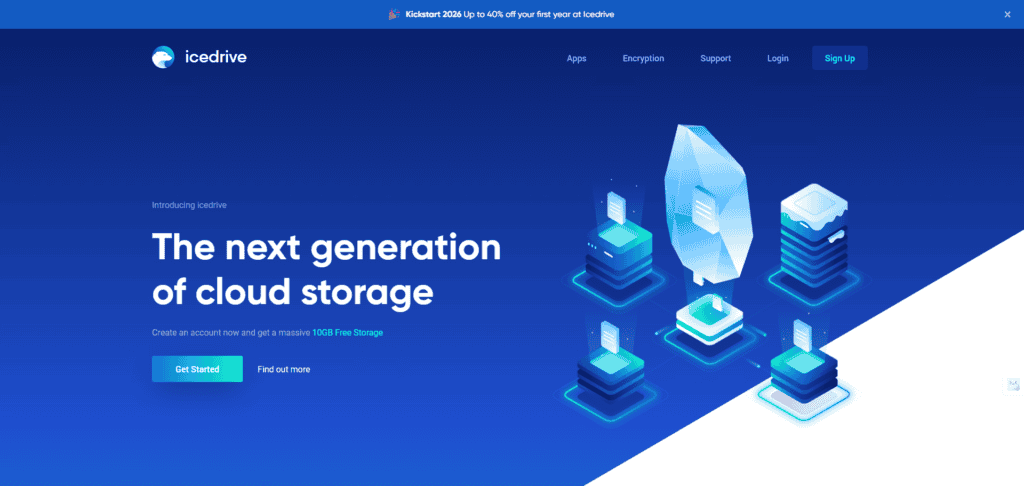
Both services talk about “end-to-end” protection, but the detail that matters is zero knowledge encryption. In simple terms, end-to-end often means your files are encrypted in transit and at rest—but the provider may still hold the keys. Zero knowledge goes further: only you hold the key, so the company can’t read your files even if it’s pressured or breached.
In pCloud vs Icedrive, that’s the split:
- Icedrive includes zero knowledge encryption in every paid tier via a dedicated encrypted folder.
- pCloud encrypts in transit and at rest by default, but true zero knowledge is a paid add-on: pCloud Crypto—which can get pricey over a lifetime plan.
I’ll give the point to Ice Drive in the privacy round thanks to its default zero knowledge encryption.
Where pCloud Still Pulls Ahead
If you care less about “private vault by default” and more about day-to-day tools, pCloud is hard to ignore. It’s been around since 2013 (Switzerland-based), has roughly 20–25 million users, and tends to offer stronger extras like media features, rewind/versioning, and broader capacity choices. It also lets you pick a data region (US or Luxembourg), while Icedrive typically uses UK/Germany servers.
Practical Payoff: Which One Should You Pick?
- Pick Icedrive if you’re privacy-first and want zero knowledge without paying extra.
- Pick pCloud if you want more tools, rewind, and flexible storage options (and you’re okay paying for Crypto if needed).
Security & Encryption — What You Actually Own

End-to-end vs zero knowledge encryption (don’t mix them up)
Before you compare plans, you need to understand the encryption features differences. When a provider says “end-to-end encryption,” it often means your files are encrypted in transit (uploading/downloading) and at rest (stored on their servers). That blocks outsiders. But in many setups, the company still holds the encryption keys—so they could decrypt your files if forced by a legal request, or if their key system is compromised.
Zero knowledge encryption = you hold the key
“Zero knowledge encryption is like bringing your own lock — they store the locker, only you have the key.”
With zero knowledge encryption, only you have the key to unlock your data. The provider has “zero knowledge” of what you store. If cloud storage security is your top priority, this matters because a breach or subpoena can’t reveal readable files when zero knowledge encryption is correctly implemented.
pCloud vs Icedrive: the real-world difference
- pCloud: encrypts files in transit and at rest by default. For zero knowledge encryption, you pay extra for the pCloud Crypto add-on (Crypto folder).
- Icedrive: includes zero knowledge encryption in every paid plan via a dedicated encrypted folder. Files inside it are encrypted on your device before they hit Icedrive’s servers. Files outside are still encrypted at rest, but not zero knowledge.
This makes Icedrive more cost-effective for privacy-first users, because zero knowledge encryption isn’t a paid upgrade.
Server regions, GDPR, and extra safety tools
pCloud lets you choose a default region at signup (US or Luxembourg), which is useful if you prefer Luxembourg for privacy concerns. Icedrive doesn’t offer region choice, but uses servers in the UK and Germany. Both operate under GDPR and both support 2FA plus password-protected sharing links.
Features & Everyday Use — Where pCloud Pulls Ahead
Product features comparison: both feel like a local drive
In day-to-day use, pCloud and Icedrive are surprisingly close at first. Both mount a virtual drive on your computer, so your cloud storage behaves like a normal disk. You can drag and drop files, open them, and keep everything in sync across devices without constantly thinking about uploads.
File sharing capabilities: similar basics, but pCloud is better for client work
Sharing is strong on both sides. You can create public links or invite people to folders, then add passwords or expiration dates for privacy. Icedrive adds a nice touch: people can leave comments right on the shared link page, which is great for quick feedback.
pCloud pulls ahead when you need a more polished workflow. You can brand shared folders with a logo or custom background, which looks more professional when you’re sending files to clients. And if you use “file request” links to collect uploads, pCloud is simply less limiting.
| Feature | pCloud | Icedrive |
|---|---|---|
| File request upload limit | Up to 5 GB per transfer | Up to 2 GB per transfer |
Media playback features: pCloud is the clear winner
If you store music or videos, pCloud feels more complete. Every account includes an integrated audio and video player. The audio player lets you build playlists, shuffle, change playback speed, and even set a sleep timer for podcasts. Icedrive’s player works, but it’s basic (play/pause/next).
pCloud’s music player actually feels like it’s on par with dedicated music apps.
Backup & recovery: Rewind beats limited version history
pCloud’s Rewind can roll your whole account back to an earlier date—huge when you delete or overwrite the wrong folder. Icedrive versioning is narrower: about 10 versions up to 180 days on paid plans, and 3 versions for 15 days on free accounts.
Performance & Day-to-Day Flow — Speed, Apps, and UX
Platform support and performance stability comparison
In daily use, both pCloud and Icedrive feel dependable. Availability is strong on both, so you’re not picking between “reliable” and “risky.” And when it comes to devices, platform support isn’t a tiebreaker: you get apps for Windows, macOS, Linux, Android, and iOS, plus solid desktop clients (and portable-style options) that make it easy to work from different machines.
UX: minimal vs feature-rich
Icedrive’s interface feels more modern and minimal. It’s clean, simple, and you can find what you need fast—great if you just want storage that stays out of your way.
pCloud is user-friendly too, but it’s richer. You’ll notice more menus and options (backups, rewind, crypto folder, music, and more). That can mean a bit more clicking at first, but it often saves time later once you know where things are.
For ease of use, I’m giving this one to PCloud. Its extra tools save time later.
File upload download and bandwidth speed comparison (5GB test)
For a real-world desktop application performance check, I ran a simple file upload download test: the same 5 GB file, on a stable 50 Mbps connection, with no throttling. Neither app slowed my system down, and both stayed stable throughout.
| Service | Upload (5 GB) | Download (5 GB) |
|---|---|---|
| Icedrive | 7:10 | 7:26 |
| pCloud | ~1 min slower | ~30 sec slower |
So yes, Icedrive was marginally faster in this test. But if you care about long-term workflow, pCloud’s extra tools can deliver more day-to-day utility even with slightly slower transfers.
Pricing, Lifetime Plans & The Small Clause You Must See
Free tiers (about 10 GB each)
Both pCloud and Icedrive hook you with generous free storage—roughly 10 GB to start. The difference is how you get there. With pCloud, you begin at about 2 GB and then complete a couple of quick tasks to unlock the full 10 GB. Icedrive is simpler: you typically get an easy 10 GB right away.
Annual pricing plans comparison
If you prefer subscriptions, both are competitive. Icedrive’s annual lineup is straightforward:
- Pro 1: 1 TB — $59/year
- Pro 3: 3 TB — $119/year
- Pro 5: 5 TB — $199/year
pCloud’s individual yearly plans are more “mid-range” on capacity:
- 500 GB — about $49.99/year
- 2 TB — about $99.99/year
Lifetime cloud storage: the small clause that matters
The real “small clause” you must see is how lifetime plans pricing works. Both brands sell “pay once, keep it forever,” but they do it differently.
| Service | Lifetime model | Prices |
|---|---|---|
| pCloud | Fixed tiers | 500 GB $199; 2 TB $399; 10 TB $1,190 |
| Icedrive | Modular stacking | Base 2 TB $389; add 1 TB $199; add 5 TB $449 |
Icerive’s approach is great if you want to start small and only pay for what you use.
So, which lifetime cloud storage setup fits you? If you want a lower upfront entry and the option to grow later, Icedrive’s stacking is hard to beat. If you already know you need a huge vault, pCloud’s 10 TB for $1,190 is standout value.
Decision Guide + Wild Cards (Analogies, Hypotheticals, Tiny Confessions)
Both deliver high-quality secure cloud storage, but they cater to slightly different needs.
So… which cloud storage wins for your lifetime buy?
If you’re asking which cloud storage wins, start with how you actually use files day to day. If you hoard photos, videos, and music, and you want playlists plus a “full rewind” feeling (versioning that helps you recover from accidents), pCloud usually becomes the cloud storage option wins pick. It’s been around since 2013, has roughly 20–25 million users, and it leans into media and workflow features—think of it as a media Swiss Army knife. That’s the core of the pCloud advantages disadvantages story: more tools and flexibility, but you may pay more for extras you don’t touch.
When Icedrive is the smarter “private locker” move
If your top priority is default privacy and a lower upfront lifetime price, Icedrive (founded around 2019) often feels like renting a secure private locker with your own lock. That’s the heart of the Icedrive pros cons trade: strong privacy vibes and affordability, but fewer built-in workflow perks. If you’re curious, try keeping your most sensitive docs in an encrypted folder first—zero-knowledge needs tend to grow over time.
Wild card: future storage growth (do the math before you commit)
Here’s the scenario people miss: you start with Icedrive’s 2 TB stack, then five years later you need 12 TB. Stacking can quietly snowball and may cost more than a one-time 10 TB pCloud plan. Lifetime is all about loss-aversion—buy once, regret never.
Tiny confession: I once bought a lifetime backup plan and outgrew it; I wish stacking had been an option. On another service, I overpaid for features I never used.
One last practical note: if you’re switching, pCloud has migration tools available for Dropbox/Google Drive/OneDrive, while Icedrive is more manual. Either way, both beat big-name clouds on privacy and value.
TL;DR: Icedrive wins for out-of-the-box zero knowledge encryption and flexible/lower-cost lifetime entry. pCloud wins for richer media features, stronger versioning, migration tools and a massive 10 TB lifetime steal.
      <div data-type="cta-button" data-node-type="ctaButton"><a href="https://swiy.co/valentine2026" target="_blank" rel="noopener noreferrer" style="background-color: #000000; border-radius: 10px; color: #ffffff; padding: 10px 20px; margin: 10px 0; text-decoration: none;">Get pCloud </a></div>
    </body></html>